

DataCite Metadata Dashboard
The DataCite metadata dashboard is a tool for monitoring DataCite metadata quality and identifying opportunities to advance the discoverability and impact of scholarly resources.
The metadata dashboard is publicly accessible at https://metadata.datacite.org.
Search Organizations and Repositories
Search for a DataCite Member, Consortium Organization, or Repository to view a metadata quality snapshot and explore opportunities for improvement. You can search by the organization/repository name or account identifier. For example, try searching "DataCite Canada Consortium", "CERN", or "rpht.nifs".
For more information on the DataCite account types and structure, see Accounts in DataCite.
Explore Metadata Quality
When a DataCite Member, Consortium Organization or Repository is selected, the dashboard displays a metadata quality snapshot for all the DOIs under that account.
At the top, the interface displays:
- the total number of DOIs
- DOI registrations by year
- DOI resource types (from resourceTypeGeneral)
Below, metadata completeness (as a percentage of DOIs) and top values are surfaced for all metadata properties and key sub-properties. The "High Impact" properties are recommended to improve discoverability.
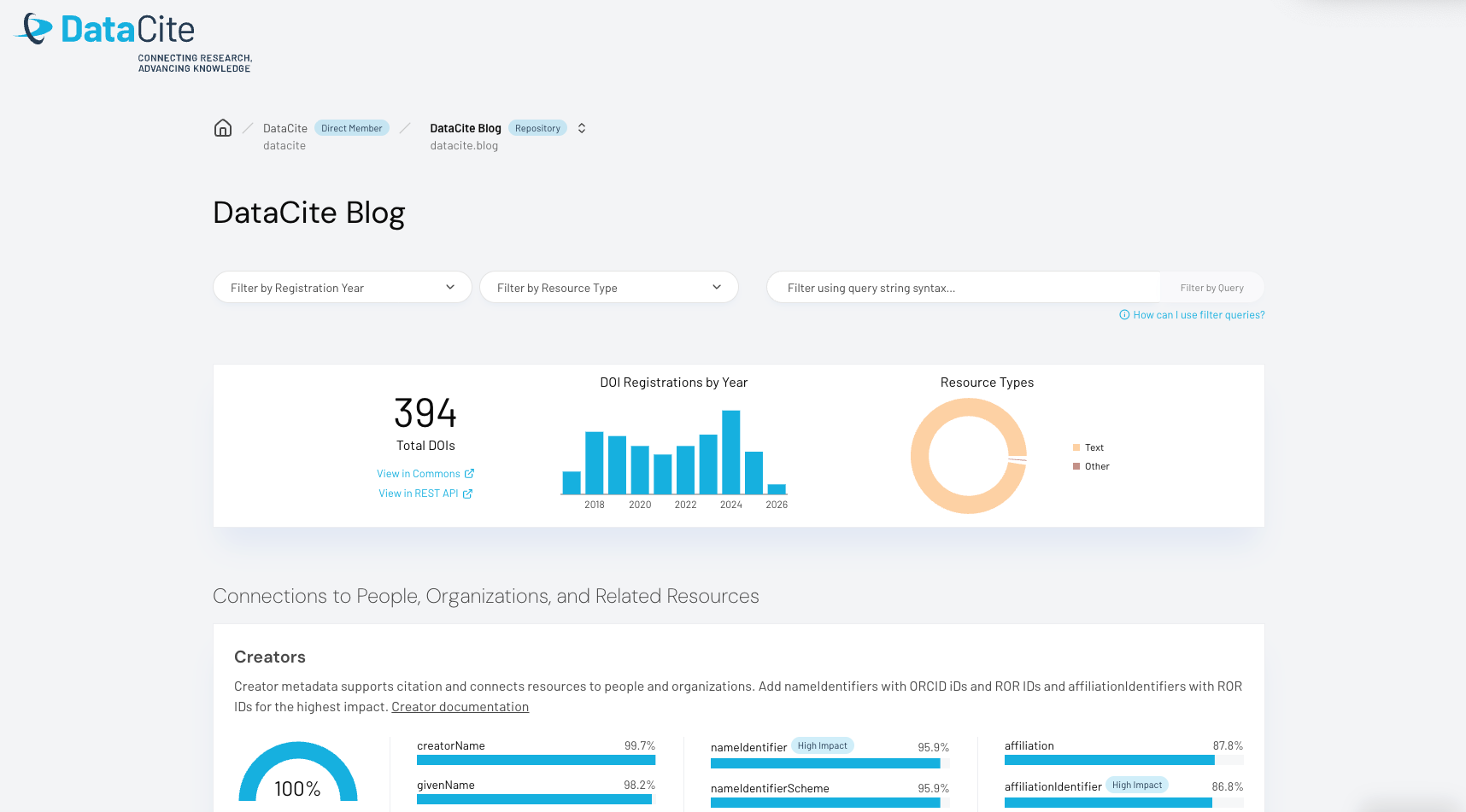
Screenshot of the metadata dashboard for the DataCite Blog Repository (datacite.blog)
For some properties, in addition to completeness, the top 10 values are shown in a "Values of" section. These values show the percentage of populated records containing each value. For example, in this repository, 95.9% of records have a nameIdentifier with a nameIdentifierScheme. Within those records, 98.2% of the nameIdentifierSchemes are ORCID.
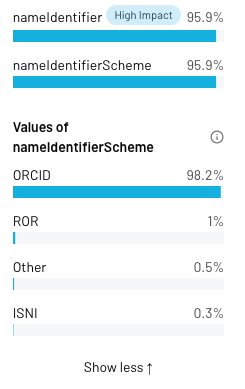
Values of nameIdentifierScheme, showing the percentage of populated records containing each value
Navigation and Filters
The breadcrumbs at the top of the dashboard can be used to navigate between Repositories (within a Direct Member or Consortium Organization view) and between Consortium Organizations (within a Consortium Lead view).
Filters can be applied to adjust which DOIs are included in the dashboard. Available options include:
- Filter by Registration Year (for the top 10 Registration Years by volume)
- Filter by Resource Type
- Filter using query string syntax
When filters are applied, the visualizations will update to reflect the filtered set of DOIs.
Use the links to "View in Commons" or "View in REST API" to get a list of DOIs included in the view, with any filters applied.
We welcome your feedback on the metadata dashboard via DataCite Suggestions.
For support questions, please contact us at [email protected].
The metadata dashboard was developed in collaboration with the Generalist Repository Ecosystem Initiative (GREI).
Updated about 1 month ago